Renew in SAM.gov, not through a renewal company. Sign in, open Entity Workspace, choose the exact entity, review every section, submit the renewal, answer any validation request, and wait until the registration shows Active. SAM.gov says a registration must be renewed every 365 days and can take up to 10 business days to become active, so do not leave it until an award deadline.
Use SAM.gov for a SAM registration
Use SAM.gov Entity Registration as the starting point. SAM.gov is the federal system of record; a paid email or renewal service is not required to create, update, or renew the entity registration.
Checked July 22, 2026. The public SAM.gov page currently separates Renew Entity from Check Entity Status. Renew Entity routes to the signed-in Entity Workspace, while the status action is for confirming what happened after submission. Use the labels on the live official page because the interface can change.
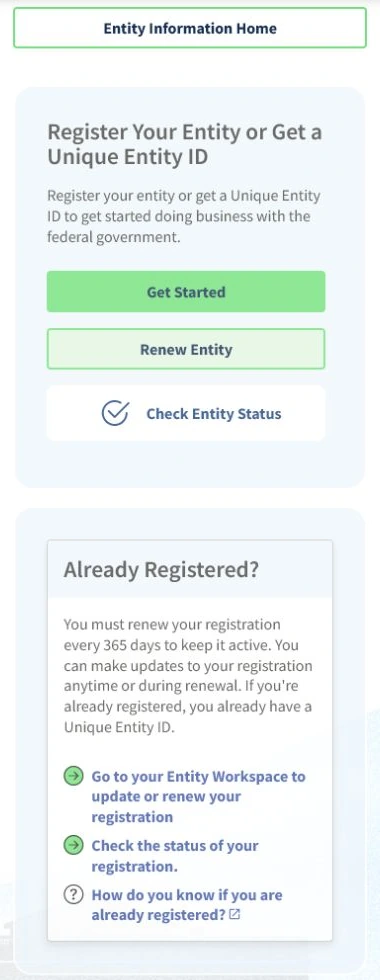
- SAM.gov Entity Registration
- SAM.gov Entity Registration Checklist PDF
- SAM.gov Entity Information
- SAM.gov Check Entity Status
Match the entity before changing the record
Have the Unique Entity ID, exact legal business name, physical address, Entity Workspace access, and current expiration date ready before making changes.
- Unique Entity ID
- Legal business name and physical address
- Entity Workspace access
- Registration expiration date
Use SAM.gov directly. Do not rely on a paid solicitation email or a copied checklist unless it routes you back to the official SAM.gov account connected to your entity. Renewal can involve entity validation, role access, address/name checks, and submitted status review, so start before a grant, contract, or payment deadline.
A submitted renewal is not the same as an active registration. A public search result may also show less detail than the signed-in Entity Workspace. If a grant or contract deadline is close, verify the status inside SAM.gov and with the relevant federal program office.
Renew the registration and resolve validation
- Sign in to SAM.gov Entity Registration, open Entity Workspace, and select the matching entity record.
- Compare the Unique Entity ID, legal name, and physical address before starting an update or renewal.
- Review the registration status, expiration date, representations, points of contact, and any validation message.
- Submit the renewal or update early enough to answer a document or entity-validation request.
- Use the official status tracker and wait for Active status before treating the registration as current.
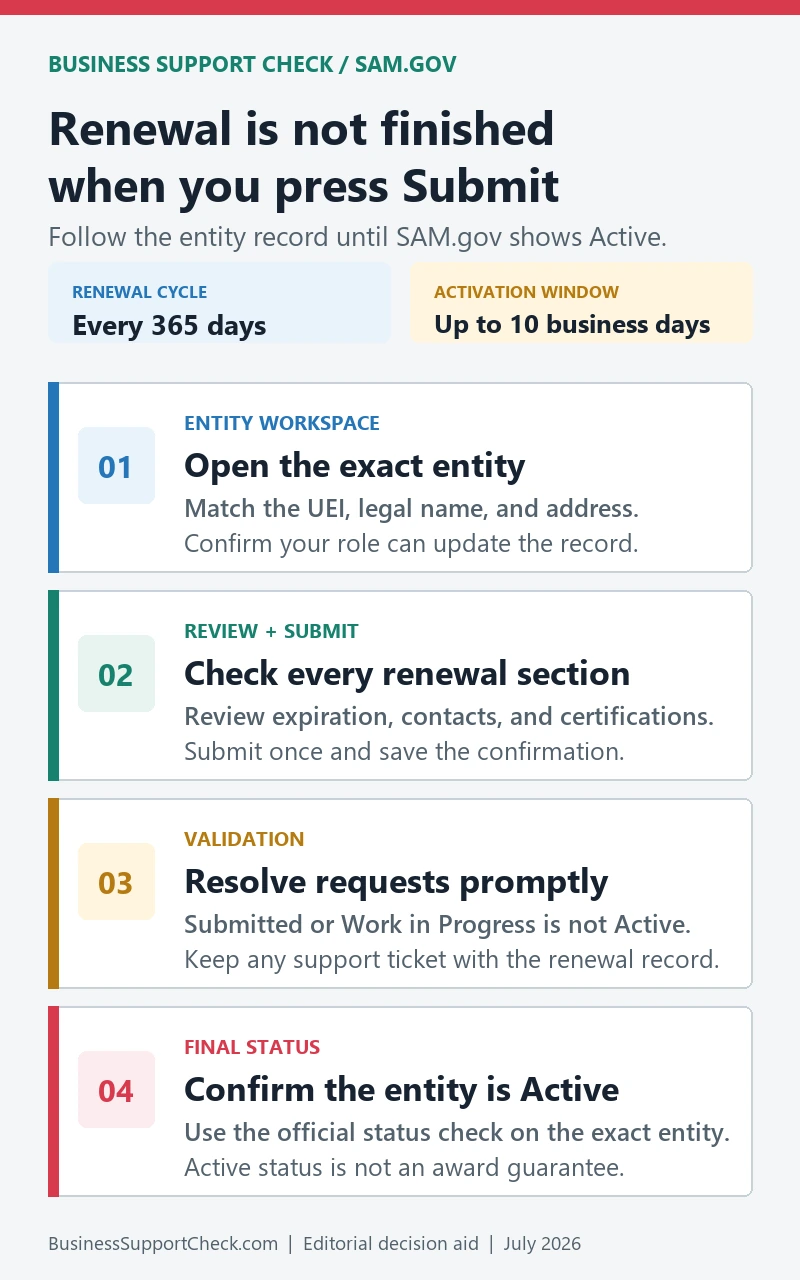
Before closing the session, save the submission date, the entity’s UEI, the confirmation or tracking reference, and any Federal Service Desk incident number. Keep banking, tax, and personally identifying fields out of screenshots used for ordinary team updates.
Submitted and active are not the same status
Submitted, Work in Progress, Inactive, and Active are different states. A successful submission is not the same as an active registration, and validation can delay the final status.
| Check | What to confirm |
|---|---|
| Workspace access | You can sign in and see the entity in Entity Workspace: Not every user can renew or update the entity. |
| UEI match | The UEI, legal name, and physical address match your records: Federal award systems use the entity record, not just a business nickname. |
| Expiration | The current expiration date and renewal status are visible: Expired or inactive registration can affect readiness. |
| Validation | Any documentation request or validation issue is resolved: Validation can delay activation after submission. |
An Active result for a SAM registration confirms the registration status shown by SAM.gov; it does not guarantee eligibility for a solicitation, responsibility determination, or an award.
If the entity is missing or validation is stalled
Search by the exact Unique Entity ID and legal name, then confirm that the signed-in user has a role for the entity in Entity Workspace.
For sign-in, role, validation, or technical problems, use the Federal Service Desk linked by SAM.gov and keep the incident number with the renewal record. A business that needs free registration help can also use an official APEX Accelerator. These support routes can help with the record or process; they do not decide whether a specific grant or contract will be awarded.